Messenger Bag Size Guide for Work: How to Choose the Right Size for Your Laptop and Daily Essentials
Choosing the right messenger bag size is about more than finding a bag that fits your laptop. The bag also needs enough room for documents, chargers and everyday essentials without becoming unnecessarily bulky or uncomfortable to carry.
A messenger bag that looks spacious in a product photograph may have a narrow opening, thick padding or an internal compartment that reduces its usable space. Conversely, a compact-looking bag may accommodate more than expected if its layout is well designed. This messenger bag size guide focuses on the measurements and specifications that determine real-world fit.
For everyday users, the main considerations are device fit, storage capacity, carrying comfort and convenience. For businesses purchasing messenger bags in bulk, the decision also affects material selection, compartment design, branding, production specifications and sample approval.
This guide explains how to choose the right messenger bag size for work, how to measure the items you need to carry, which design features affect usable capacity, and what businesses should specify when developing custom messenger bags.

1. What Size Messenger Bag Do You Need?
The right size depends on the contents rather than the product label. A messenger bag designed for a tablet and notebook has different requirements from one intended to carry a laptop, A4 folders, a charger and additional work equipment. Start by identifying your main use case.
| Intended use | Items to accommodate | Main design priority |
|---|---|---|
| Light daily carry | Phone, wallet, notebook, small accessories | Compact dimensions and easy access |
| Tablet commuting | Tablet, notebook, charger, personal items | Device compartment and organization |
| Standard office work | Laptop, documents, charger, notebook | Laptop fit and document storage |
| Document-heavy work | Laptop, A4 folders, paperwork, accessories | Wide opening and flat document compartment |
| Business travel | Laptop, documents, charger, travel essentials | Organization, secure closure and practical capacity |
| Corporate events | Event materials, notebook, tablet or laptop | Consistent dimensions and useful branding area |
These categories describe different requirements, not standardized bag sizes. There is no single set of external dimensions that guarantees a messenger bag will suit every laptop or workload: two bags with similar external dimensions can have different usable capacities because of their padding, lining, compartment layout and construction. The best starting point is to list everything the bag must carry and then measure the largest items.
2. Measure Your Laptop Before Choosing a Messenger Bag
Laptop screen size is a useful starting reference, but it is not sufficient to determine whether a laptop will fit inside a bag. Two computers advertised with the same screen size may have different physical dimensions because of their bezels, chassis, hinges and overall design. Measure the actual device.
Step 1: Measure the laptop body
Record three dimensions:
- Width: The longest horizontal measurement across the closed laptop.
- Depth: The measurement from the front edge to the back edge.
- Thickness: The measurement through the thickest part of the closed device.
Use the manufacturer’s physical specifications when they are available, or measure the actual computer. If you normally carry the laptop inside a protective sleeve, measure it with that sleeve fitted.
Step 2: Check the compartment’s internal dimensions
Compare the laptop measurements with the usable dimensions of the bag’s dedicated device compartment. Do not rely exclusively on the bag’s external width and height: external measurements include fabric, padding, seams and other construction elements that do not contribute directly to the available internal space. The compartment must also have an opening large enough to insert and remove the device comfortably.
Step 3: Account for padding and closures
Padding can reduce the compartment’s usable space. Zippers, seams and reinforced edges may also affect how easily the laptop enters the bag. The computer should not need to be forced into the compartment, and the closure should not press awkwardly against the device.
For more detailed device-measurement guidance, consult the existing laptop bag size guide.
3. Understand External Dimensions vs Usable Capacity
One of the most common sizing mistakes is assuming that external dimensions tell the whole story. A messenger bag’s exterior dimensions describe the space occupied by the bag. Its internal dimensions describe the space available for belongings. These measurements are related but not interchangeable.
External width determines how wide the bag appears and how much horizontal space it occupies. For work use, width can affect whether the bag accommodates documents, folders and a laptop without folding or awkward positioning. External height affects the bag’s overall proportions and the vertical space available for documents and equipment, and it also influences how the bag sits against the user’s body. External depth affects how much space the bag can provide for bulkier objects: a shallow messenger bag may work well for a laptop and papers but struggle with a large charger, headphones or other thick accessories.
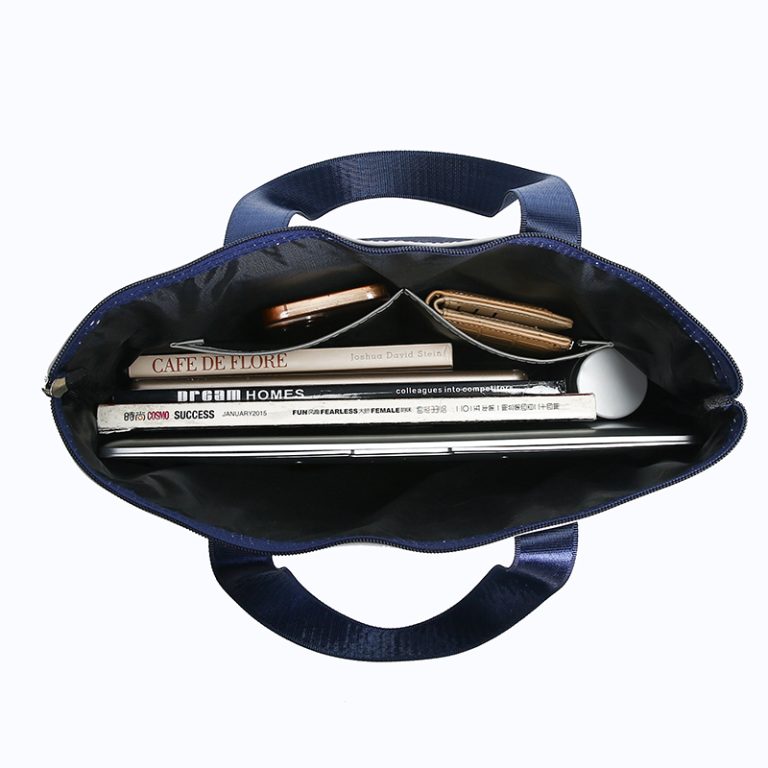
Internal compartment dimensions determine whether individual items actually fit. A bag may have sufficient overall volume but still be inconvenient if the laptop compartment is too narrow or the opening is too small. The opening dimensions deserve particular attention: a laptop might theoretically fit inside the main compartment but be difficult to insert through a narrow zipper opening. For custom development, check the compartment dimensions and the opening separately.
Practical rule: Evaluate the external dimensions, internal dimensions, opening and compartment arrangement as four separate specifications. This is the core principle of any reliable messenger bag size guide.
Clearance around the laptop: the laptop compartment should provide enough room for easy insertion and removal without allowing the device to move excessively. The exact clearance depends on the laptop, its protective sleeve, the padding and the compartment’s construction, so avoid assuming that every laptop requires the same additional allowance. For a custom messenger bag, the sample should be tested with the actual device or a dimensionally accurate equivalent: the laptop should fit without excessive force, and the compartment should not be so oversized that the device shifts unnecessarily during normal use. If the bag also carries documents, make sure they have a separate space or can be placed without pressing against the laptop. This matters particularly for corporate orders, where a single design may be intended for a defined range of employee devices — if the organization uses several laptop models, confirm whether one compartment design accommodates all of them or whether separate sizes are necessary.
4. Choose a Messenger Bag Size Based on Your Daily Load
The amount and shape of your belongings should determine the size. Compact models suit people who carry relatively few items — a notebook, phone, wallet, keys, charger and a small tablet — when portability and a low-profile appearance matter more than maximum storage. A compact messenger bag is generally not the best choice when the user must carry multiple folders, a full-size laptop and several accessories.
Medium models are a practical option for everyday office commuting and may accommodate a laptop, A4 documents, a notebook, charger, mouse, phone and small personal items. The main challenge is balancing capacity with carrying comfort: a bag should have enough room for its intended contents without requiring the user to fill every available space.
Large models are appropriate when the user needs to carry more equipment or several bulky items — multiple folders, presentation materials, headphones, work accessories and additional documents. However, a larger bag can become heavy when fully loaded. Before choosing one, consider the total weight of the contents, strap width, reinforcement and the distance the user will carry it. A larger capacity is useful only when the additional space serves a genuine need.
5. Consider A4 Documents and Folders
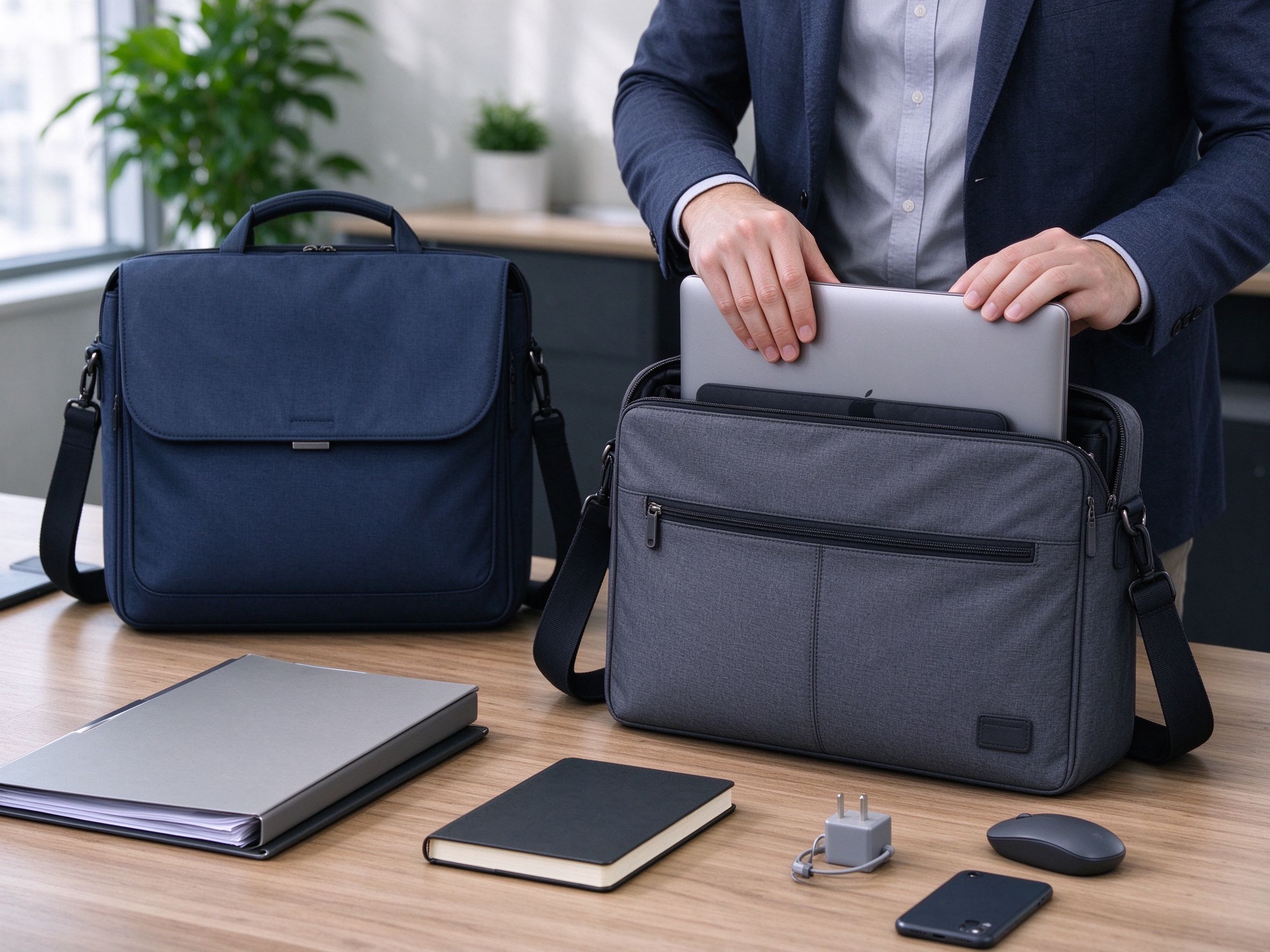
Laptop fit is only one part of messenger bag sizing. Many professionals also carry paper documents, folders, contracts, presentation materials and notebooks. A bag that fits the laptop but cannot accommodate the user’s paperwork is not a suitable work bag.
Identify the largest document or folder that needs to fit inside the bag. If the user carries documents inside a folder, measure the folder rather than the individual sheets — folders may have thicker edges, reinforced covers or additional contents that affect their dimensions. The main compartment should accommodate the folder without forcing it into a curved or folded position; pay attention to the opening as well as the internal width and height.
A dedicated document divider can keep paperwork separate from chargers and other accessories, making it easier to retrieve presentation materials without removing everything else from the bag. More depth is not always better: a deep messenger bag may accommodate bulky equipment, but it can also encourage users to carry unnecessary items. Choose the dimensions around the normal workload rather than the maximum number of objects that could theoretically fit.
6. Pocket Layout Can Matter More Than Overall Size
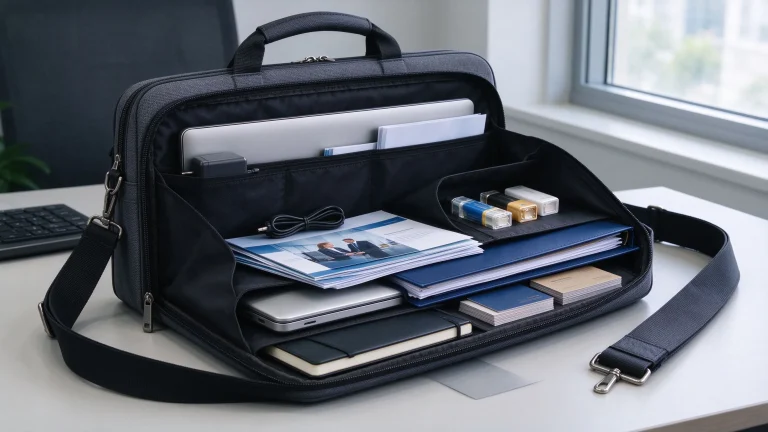
Two messenger bags with similar dimensions may offer very different experiences because of their internal layouts. A well-designed bag places frequently used items where they can be reached easily and keeps larger items organized. Consider the following compartments.
| Compartment | Purpose | Design consideration |
|---|---|---|
| Laptop compartment | Holds the computer | Device dimensions, padding and access |
| Document section | Stores folders and papers | Width, height and separation |
| Main compartment | Holds larger belongings | Usable depth and opening |
| Front pocket | Stores frequently accessed items | Accessibility and closure |
| Zippered internal pocket | Holds smaller valuables | Position and accessibility |
| Accessory organizer | Stores pens, cables and small items | Size and number of pockets |
Not every bag needs every feature. Additional pockets can increase complexity, consume internal space and add construction work. For a minimalist commuter bag, a laptop compartment, a document section and one or two practical accessory pockets may be sufficient. For a corporate event bag, the requirements may be different because attendees may need quick access to badges, notebooks and printed materials. The correct layout is the one that matches the user’s normal activities.
7. How Strap Design Affects Messenger Bag Size
Bag dimensions and strap design should be evaluated together. A bag may have sufficient storage space but become awkward to carry if its proportions, loaded weight or strap arrangement do not suit the user.
An adjustable strap allows the user to position the bag according to their height, clothing and preferred carrying method; the appropriate length depends on the bag’s dimensions and where the user wants it to sit. A wider strap provides a broader contact area on the shoulder — worth considering for bags designed to carry laptops, documents and other relatively heavy items. Shoulder padding can improve comfort depending on its material, thickness and construction, but adding padding should not compensate for a bag that is consistently overloaded.
The points where the strap connects to the bag experience repeated loading during use, so inspect the stitching, reinforcement and hardware at these locations. Test the bag with the intended contents and check whether it swings excessively, sits comfortably and remains balanced when carried. The existing messenger bag wearing guide provides additional guidance on strap adjustment, bag position and professional carrying methods.
8. Select Materials According to the Intended Use
Material selection influences the bag’s weight, structure, appearance and cost, and the best material depends on the intended user and application.
Oxford fabric is relevant to practical business messenger bags, laptop bags and document bags. The specific fabric grade, coating, lining and construction should be selected according to the intended application — for a custom project, specify the desired material rather than relying on the word “Oxford” alone. Nylon can be suitable for lightweight, flexible messenger bags, depending on the fabric construction, finish and other components. Polyester is another option for everyday business bags and promotional programs when balancing appearance, construction requirements and budget. Canvas may suit casual or lifestyle-oriented messenger bags, creating a different visual character from the more technical appearance of many business textile bags. PU leather may be appropriate when the project requires a smoother, more formal exterior.
For all materials, assess the complete product rather than judging performance by the material name alone — appearance, weight, care requirements and budget should all be considered together.
9. What Should Businesses Specify for Custom Messenger Bags?
Businesses sourcing messenger bags in bulk should prepare a product specification before requesting final quotations. This makes it easier to compare proposals and identify differences between designs.
Intended use: define whether the bags are intended for employees, sales representatives, conference attendees, training programs, corporate gifts or wholesale distribution. Required contents: list the laptop, folders, chargers and accessories that must fit inside; if different users carry different devices, document the range of dimensions. Bag dimensions: specify the desired external dimensions and the critical internal compartment dimensions — the laptop compartment and document section may need separate measurements. Carrying system: define whether the bag needs an adjustable strap, detachable strap, shoulder padding or top handle. Material and construction: specify the main fabric, lining, padding, closure, hardware and reinforcement requirements. Branding: provide the logo artwork, intended size, preferred location and decoration method. Packaging: identify whether individual bags need labels, protective packaging, cartons or private-label materials. Quantity and delivery: include the target quantity, color breakdown, delivery destination and required delivery date.
For companies developing laptop-focused products, the custom laptop bag manufacturer page is a relevant starting point for discussing dimensions, materials, internal organization and OEM requirements.
10. Why Sample Approval Is Important
A specification can describe the intended design, but it cannot fully demonstrate how the finished bag will perform in use. A physical sample allows the buyer to verify important details before approving bulk production:
- Actual external dimensions and internal compartment dimensions.
- Laptop insertion and removal, and document fit.
- Pocket accessibility and zipper operation.
- Strap adjustment, attachment reinforcement and appearance when fully loaded.
- Logo placement, stitching and construction.
For corporate orders, use representative contents during the review — a sample that looks correct when empty may become awkward when loaded with a laptop, documents and accessories. If the product is intended for conferences or events, consider the actual materials attendees will receive. The conference bag manufacturer page is also relevant when the messenger bag is being developed for an event or training program. Any required changes should be confirmed before mass production begins.
11. Common Messenger Bag Sizing Mistakes
Choosing by laptop screen size alone. Screen size does not fully describe the device’s physical dimensions. Better approach: measure the actual laptop and check the internal compartment.
Ignoring the opening. A compartment may be large enough internally but difficult to access. Better approach: test inserting and removing the laptop through the actual opening.
Measuring only the outside. External dimensions do not indicate exactly how much usable space remains inside. Better approach: confirm internal dimensions and the compartment layout.
Buying more capacity than necessary. A large bag may encourage unnecessary loading and make commuting less convenient. Better approach: list normal daily contents and size the bag around them.
Forgetting documents and accessories. A laptop may fit perfectly, but a charger or A4 folder may make the main compartment overcrowded. Better approach: test the complete daily load. A practical messenger bag size guide should always consider documents and accessories alongside the device.
Overlooking the strap. A bag that fits everything may still be uncomfortable to carry. Better approach: evaluate strap width, adjustment, attachment reinforcement and loaded weight.
Approving a custom design without a physical test. Digital artwork cannot confirm actual fit or comfort. Better approach: test a representative sample before approving bulk production.
Final Recommendation
The right messenger bag size depends on the devices, documents and accessories the user carries, along with the bag’s internal layout and carrying system. Following this messenger bag size guide means checking real measurements instead of relying on labels.
For individual buyers, start by measuring the laptop, identifying the largest folder and listing the items carried every day. For businesses, translate those requirements into a product specification covering external dimensions, internal compartments, materials, straps, branding and packaging.
A messenger bag should be large enough for its intended contents without becoming unnecessarily bulky. Its laptop compartment should fit the actual device, its opening should allow easy access, and its strap should be appropriate for the expected load. For custom orders, physical sample approval is the final opportunity to verify these details before bulk production.
The best messenger bag is not necessarily the largest one. It is the one whose usable space, organization and carrying design match the user’s real workload.